Chat2Base vs Zapier: Why Free Beats $20/Month for Data Extraction
You’re paying $19.99/month for Zapier just to move data from one app to another. And that’s the starter plan — the one that limits you to 750 tasks and zero premium apps.
What if you could do the same data extraction job — from AI assistants like ChatGPT, Claude, and Gemini into Airtable, Google Sheets, and Notion — for absolutely $0? No monthly bills. No task limits. No setup headaches.
That’s the Chat2Base difference. Let’s break down exactly where Zapier costs you time and money, and why Chat2Base wins for AI data extraction.
The Price Tag Showdown
Let’s start with the most painful difference: the cost.
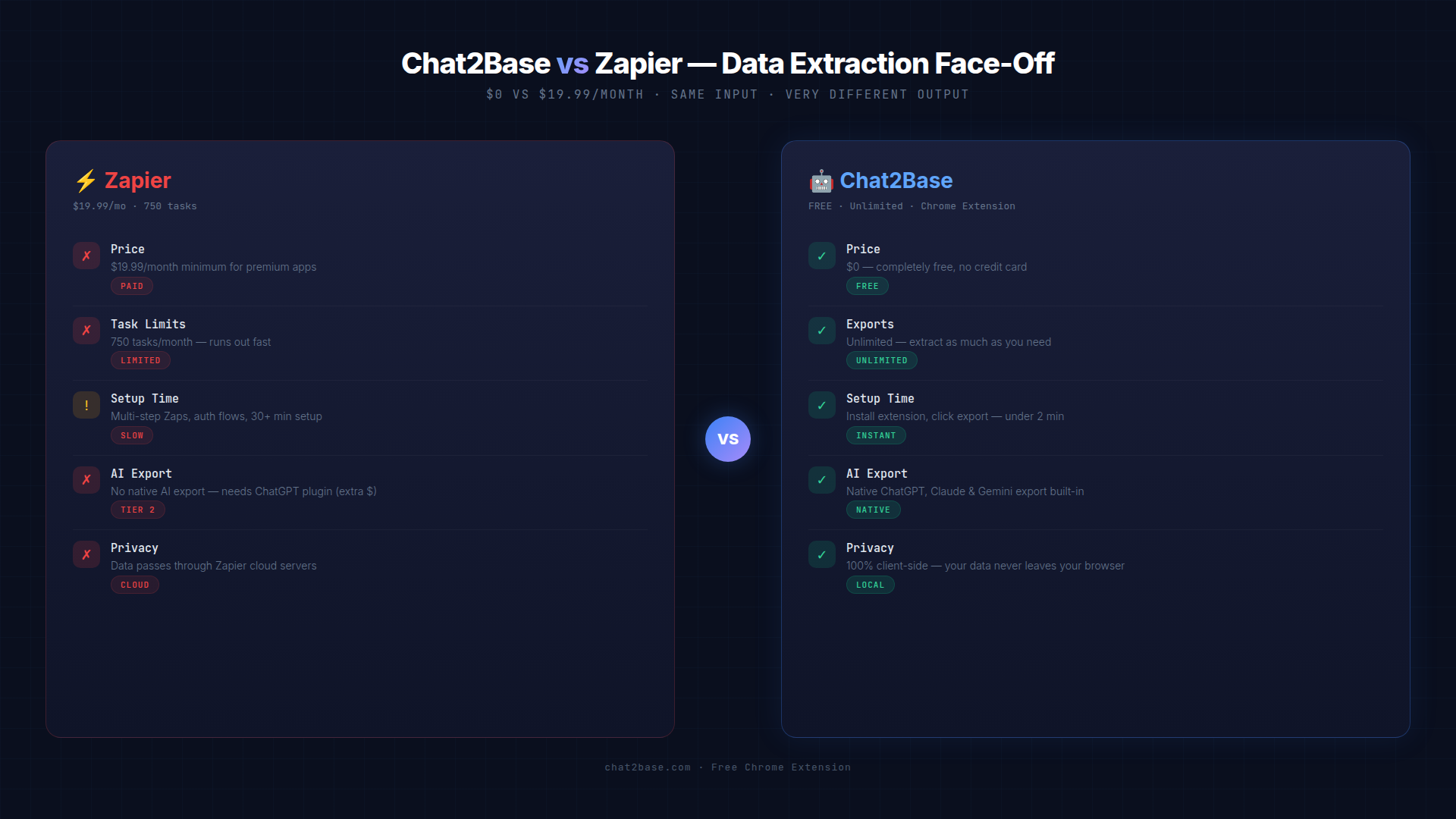
| Feature | Zapier | Chat2Base |
|---|---|---|
| Monthly price | $19.99 (Starter) | $0 |
| Task limit | 750 tasks/month | Unlimited |
| Premium apps | Not included | All included |
| AI export | Requires ChatGPT plugin ($20+) | Built-in for ChatGPT, Claude, Gemini |
| Setup time | 30+ minutes | 2 minutes |
| Data privacy | Through Zapier cloud | 100% client-side |
Even if you’re a solo freelancer, that’s $240/year saved. For a team of five, it’s $1,200/year. And that’s before you hit the 750-task limit and have to upgrade.
Where Zapier Fails for AI Data Extraction
Zapier was built for app-to-app integration — webhooks, email triggers, CRM updates. It works, but it was never designed for the specific pain point of extracting structured data from AI conversations.
1. The AI gap
Want to export a table from ChatGPT into Google Sheets? Zapier can’t do that natively. You’d need the ChatGPT Zapier plugin (if it’s even available on your plan), plus a secondary integration to connect it to Sheets. That’s two Zaps eating your monthly task quota for one export.
Chat2Base lives inside your browser as a Chrome extension. When ChatGPT, Claude, or Gemini shows you a table or list, Chat2Base detects it instantly and offers a one-click export. No plugin setup. No intermediate apps. No tasks to count.
2. The task limit trap
750 tasks/month sounds fair until you realize that a single “Zap” often uses 2-3 tasks per run. Extract a ChatGPT table → send to Sheets → that’s 2 tasks. Add formatting? That’s 3. A sales team doing 10 extractions a day burns through 600+ tasks in three weeks.
Then what? Either you stop extracting or you upgrade to the $49/month Professional plan. That’s $588/year.
Chat2Base: unlimited exports. Always. No task counters, no billing meters, no surprise upgrades.
3. The setup complexity
Setting up a Zap requires:
- Choosing a trigger app
- Connecting accounts (OAuth flows, API keys)
- Mapping fields manually
- Testing the Zap
- Debugging failures
- Monitoring task usage
For most people, it takes 20-40 minutes to get one Zap running. And if a field name changes in your source app? The Zap breaks silently.
Chat2Base: install the Chat2Base Chrome extension, navigate to any AI assistant, click the Chat2Base popup, choose your destination (Airtable, Google Sheets, Notion, or CSV), and hit export. Under 2 minutes — and you only do it once.
What Chat2Base Does Better
This isn’t a comparison where both tools are “good for different things.” For AI data extraction specifically, Chat2Base is objectively better on every axis that matters.
Native AI support
Chat2Base works with 6 AI platforms out of the box: ChatGPT, Claude, Gemini, Grok, Perplexity, and Deepseek. It recognizes tables, lists, and structured data in real time and offers export before you even finish reading the response.
One-click to database
Chat2Base pushes data directly to:
- Airtable — exact table structure preserved
- Google Sheets — column headers, data, formatting intact
- Notion — clean database rows
- CSV — for any other tool that accepts imports
No middleman. No webhook configuration. No field mapping. Just data where you need it.
100% client-side privacy
This is the big one. Chat2Base runs entirely in your browser. Your AI conversations, your data, your API keys — none of it ever touches a Chat2Base server. Every extraction happens locally. The extension sends data directly from your browser to your destination database.
With Zapier, every piece of data passes through their cloud infrastructure. If you’re handling sensitive customer data or internal research, that’s a real concern.
To be fair, Zapier is a powerhouse for non-AI automations. If you need:
- Email-to-CRM triggers
- E-commerce order processing
- Scheduled backup routines
- Complex multi-app workflows (10+ apps)
…then Zapier is the right tool. But for AI data extraction — the specific use case of taking tables and lists out of ChatGPT, Claude, or Gemini and putting them into your database — Chat2Base is faster, cheaper, and simpler.
Real Numbers: The Annual Savings
Let’s do the math for a typical power user:
| Cost Category | Zapier | Chat2Base | Savings |
|---|---|---|---|
| Monthly subscription | $19.99 | $0 | $240/year |
| ChatGPT plugin | $20/month | Included | $240/year |
| Setup time (first month) | 2 hours | 10 minutes | 1h 50min |
| Ongoing maintenance | 30 min/week | 0 | 26 hours/year |
| Total annual cost | $480+ | $0 | $480 saved |
That’s $480 cash + 28+ hours of time — every year. For a team of 5, multiply by five: $2,400 and 140 hours.
The Bottom Line
Zapier is excellent software. But it’s the wrong tool for AI data extraction.
If your workflow involves taking structured data out of ChatGPT, Claude, Gemini, or any other AI assistant — and you want it in Airtable, Google Sheets, or Notion — Chat2Base does it better, faster, and free.
No monthly bills. No task limits. No complex setup. Just install the Chat2Base Chrome extension, and you’re exporting AI data to your database in under 2 minutes.
Try it today at chat2base.com — because free beats $20/month, every single time.
Chat2Base is a free Chrome extension that extracts tables, lists, and structured data from ChatGPT, Claude, Gemini, Grok, Perplexity, and Deepseek — and pushes them to Airtable, Google Sheets, Notion, and CSV in one click. 100% client-side. No server. No API keys. No subscription.